Guest portal
Everything the guest asks, answered before they ask.
Every guest already has the registration link. Now it also tells them how to get there, where to park, how to get in, how the house works, what is around and who to call. In their language, with your branding, on their phone.
Included in the price. It comes switched off: turn it on when the content is to your liking.
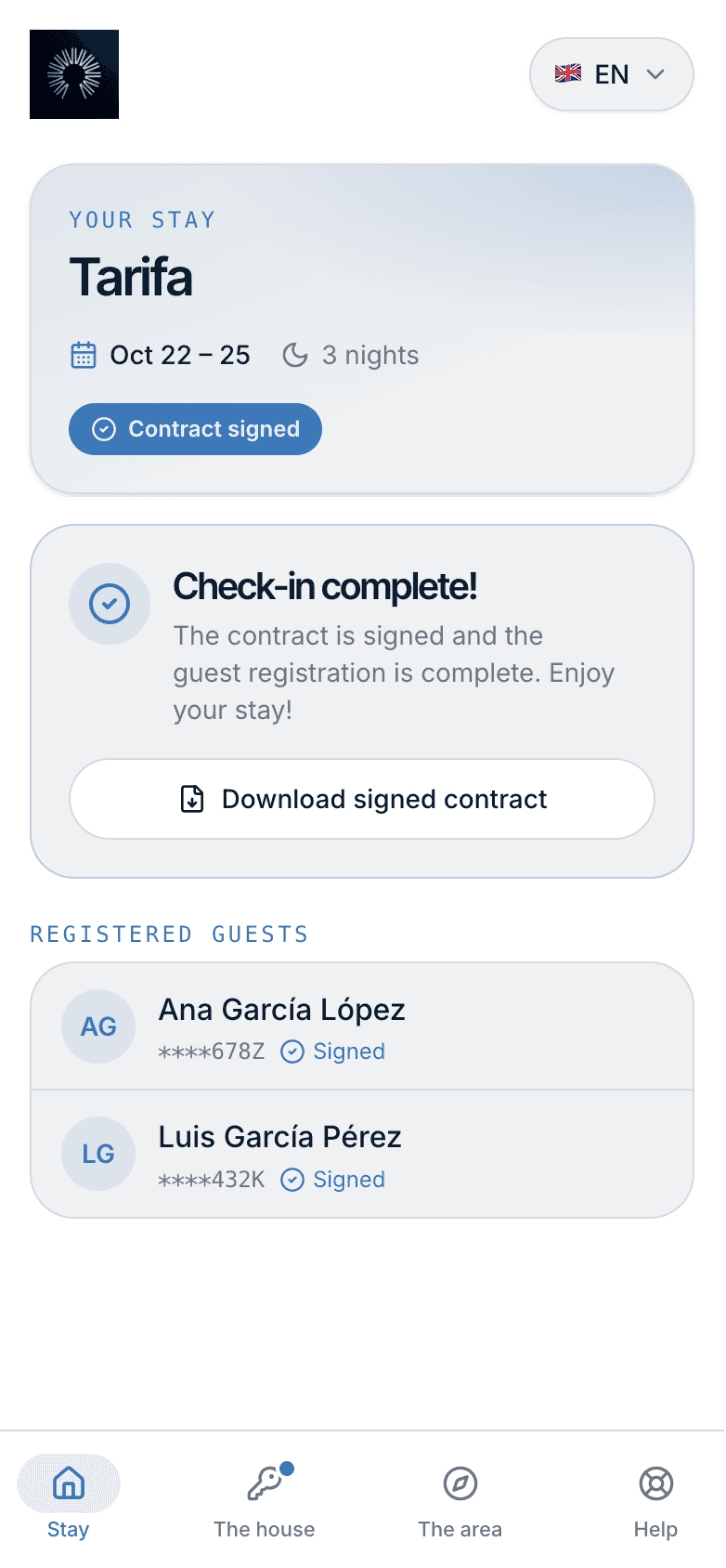
Stay: dates, registration and guests
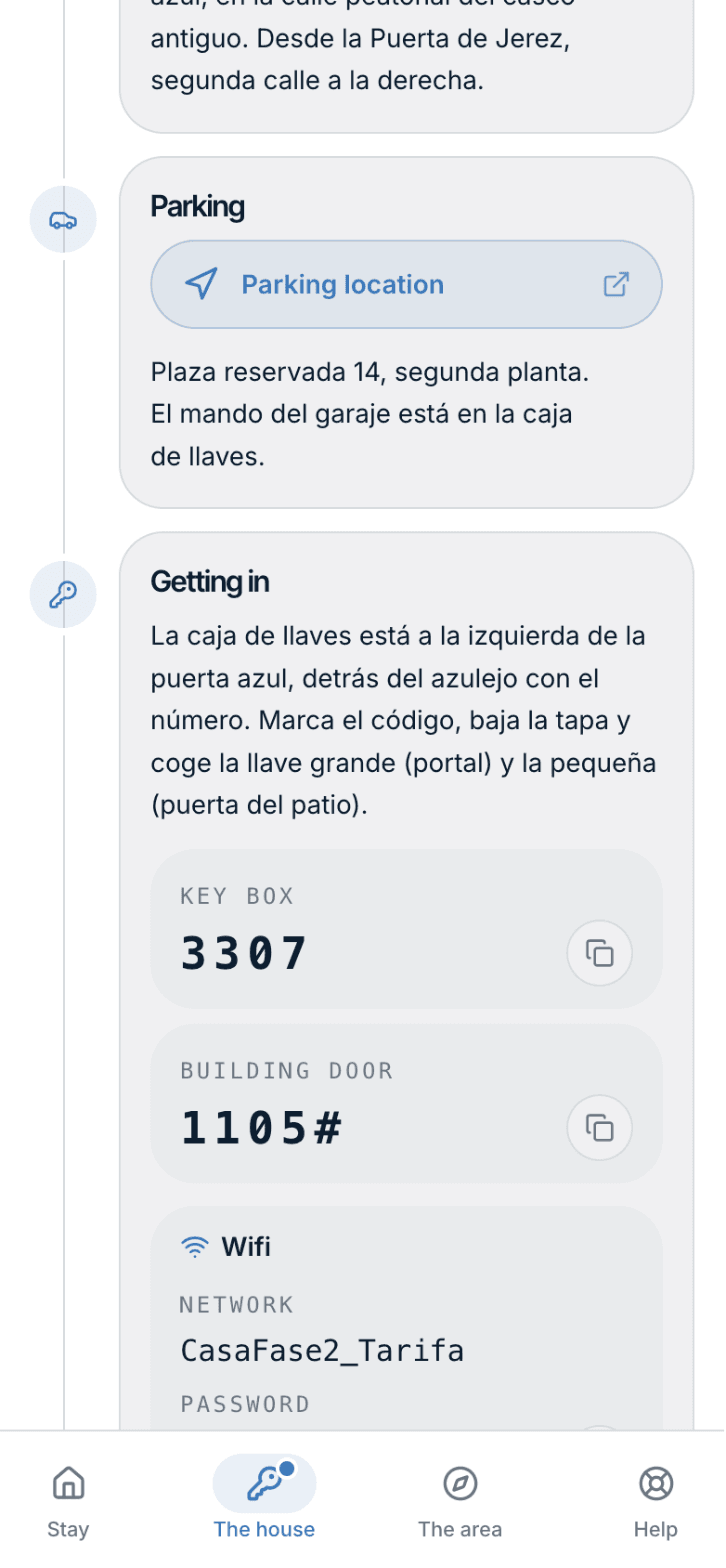
The house: getting there, getting in, how it works
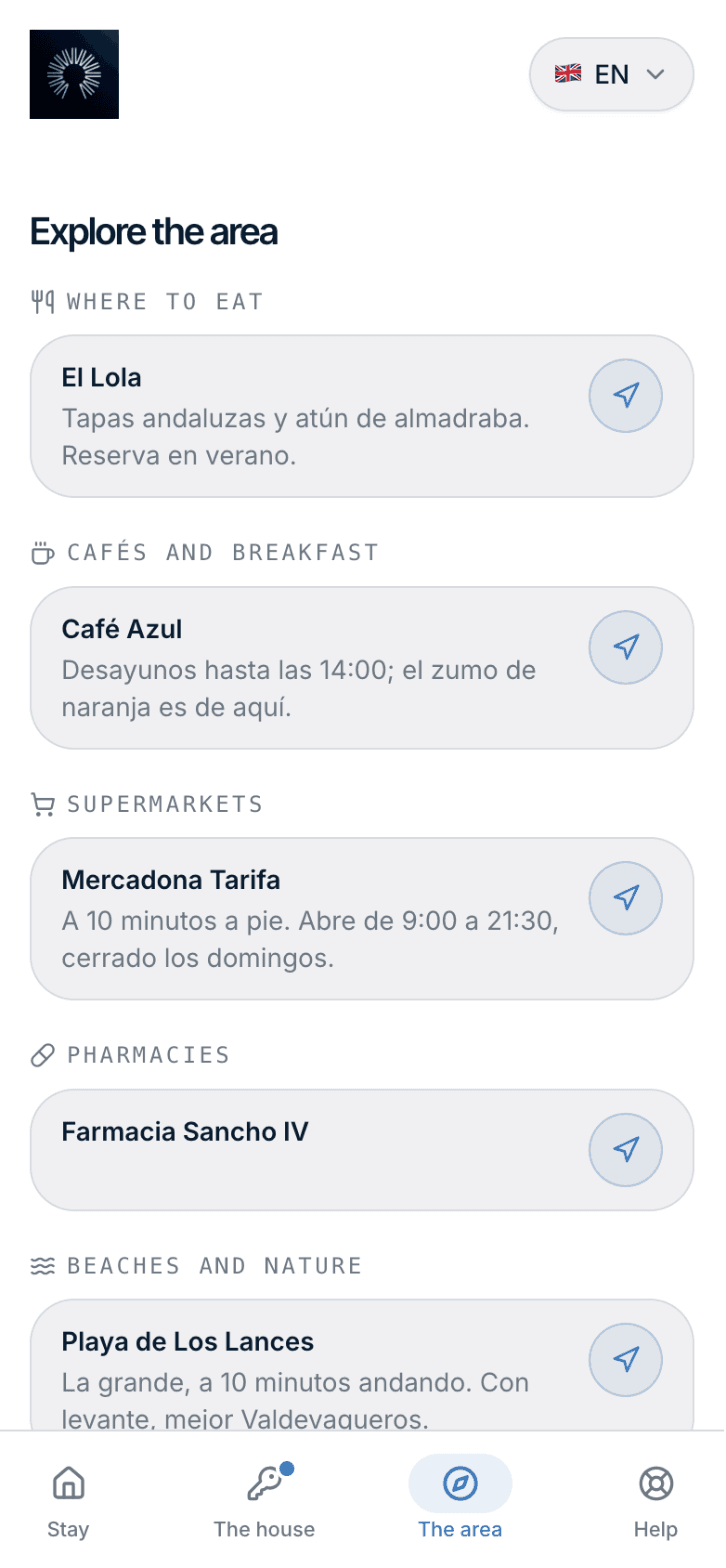
The area: your recommendations with a map
What the guest sees
Four sections and an icon bar. Nothing to hunt for.
Only the sections with content show up, and every text goes in the guest’s language. A message can point straight at one of them.
Stay
Dates and times, the registration, the signature and the guests in the party. The usual, in the same place.
The house
How to get there with a map button, where to park, how to get in — instructions, codes and wifi behind a lock —, how the house works by topic, the rules they signed and what to do when leaving.
The area
Your recommendations by category: restaurants, cafés, supermarket, pharmacy, beach, sights, transport. Each with its description and a button that opens the map.
Help
Your phone, WhatsApp, 112 and the useful numbers: taxi, health centre, duty pharmacy, local police, repairs.
Security
The codes open when it is time, not when the link gets forwarded.
The access instructions, the codes and the wifi sit behind a lock. None of it travels by email: the guest looks it up in their link, and every reveal records when and from which network. If you change a code, they see the new one at once.
- Registration complete. Every guest registered and the contract signed: the same condition that tells your PMS the booking is ready.
- Inside the window. From as many hours before check-in as you set (48 by default) until the end of the check-out day. After that, the codes disappear.
- Unlock now. The guest is at the door without having signed: a button on the booking page — or a call from your PMS — opens the access, and who did it is recorded.
How you set it up
Sixty properties in an afternoon.
No filling in sixty identical forms. What repeats is written once; what differs, where it differs.
Common content
Rules, departure, useful numbers, manual: written once, it applies to every property that does not say otherwise.
Blocks
A named variant — “Alameda car park” — you assign to the properties that use it. A building with six flats has one car park: write it once, assign it six times.
Own content
The address, the access, the codes and the wifi of each flat. With “Copy from another property” and “Next” to walk the portfolio without going back to the list.
Everything you do in the panel can also be done over the API and from an agent through the MCP server: your PMS can fill in the portal of every accommodation on its own. Read the documentation
Frequently asked questions
- What if the guest does not register?
- They still see the guide — how to get there, the house, the area, help — but not the codes: the lock tells them what is missing. If they are at the door and in a hurry, you unlock it from the booking page or from your PMS.
- What if I change the lock code?
- You change it on the property and the guest sees the new one at once: codes are never emailed, they are looked up in the link. That is also why they are not in the “all set for your arrival” email.
- Is it translated?
- Every text is written in the languages you want, up to seven, and the guest reads theirs; failing that, Spanish. Section titles, categories and phone types are translated on their own.
- How much does it cost?
- Nothing extra: it is included in the price per filed booking. It comes switched off and you turn it on when the content is to your liking.
- Does it work with my PMS?
- The portal link is the same one your PMS already hands out for the registration, so no template needs changing. And the content can be loaded over the API or from an agent.
Turn it on when the content is to your liking.
Until then, the link works as it always did. Fill it in, preview it as a guest, and switch it on.